

Messy graphic design workflows cost small and medium-sized businesses more than just time. Missed deadlines, inconsistent brand assets, and runaway revision cycles eat into budgets and erode client trust fast. Many marketing teams are juggling multiple projects without a clear process, and it shows in the final output. A structured graphic design workflow fixes that. It brings predictability to creative projects, keeps brand assets consistent, and makes every deliverable faster to produce. This guide walks through the tools, steps, and strategies that help SMBs build a reliable, repeatable design process from the ground up.
Table of Contents
- What you need: Prerequisites and tools for a smooth design process
- Step-by-step guide to a reliable graphic design workflow
- Optimizing with AI and reusable components
- Common pitfalls and advanced fixes
- Our perspective: The game-changing truth most guides miss
- Ready to upgrade your graphic design workflow?
- Frequently asked questions
Key Takeaways
| Point | Details |
|---|---|
| Start with a clear brief | Precise intake saves time and avoids confusion later. |
| Systematize workflows | Use templates and design systems to cut design times by up to 30%. |
| Embrace automation | AI tools can handle repetitive tasks and speed up revision cycles. |
| Avoid common mistakes | Structured approvals and compliance checks prevent costly delays. |
| Reflect and iterate | Review your process after each project to build lasting improvements. |
What you need: Prerequisites and tools for a smooth design process
Let's lay the foundation for a productive workflow before diving into the step-by-step process. Before any design work begins, you need the right inputs assembled and the right people aligned. Skipping this stage is where most SMB design projects go sideways.
Key inputs to gather before starting:
- A clear design brief (goals, audience, deliverables, deadlines)
- Existing brand assets (logos, color palettes, fonts, style guides)
- A design system or component library, if one exists
- Required output formats (print specs, digital dimensions, file types)
- An approval chain with named decision-makers
Creative teams spend 25 to 57% of their time on non-creative tasks like asset management and compliance checks. Structured workflows reclaim up to 35% of that creative time. That is a significant return for simply organizing your process upfront.
For tools, the essentials fall into three categories:
| Category | Tool examples | Primary use |
|---|---|---|
| Design software | Adobe Creative Cloud, Figma | Vector graphics, layouts, prototypes |
| Asset management | Brandfolder, Google Drive | File storage, version control |
| Feedback and collaboration | Frame.io, Notion, Slack | Structured review cycles |
Defining team roles matters just as much as the tools. Who creates? Who reviews? Who approves? Without a clear chain, feedback loops become chaotic. Exploring client onboarding methods before the project kicks off reduces confusion and sets expectations on both sides.
Clear intake and discovery cuts onboarding time by nearly 50%, and design systems save 20 to 30% of design time across recurring projects. Those numbers add up quickly for a team running multiple campaigns.
Pro Tip: Create named templates for your most common project types, such as social media posts, flyers, and business cards. Use consistent file naming conventions like "ClientName_ProjectType_v01_YYYYMMDD" to eliminate the time spent hunting for the right version.
Step-by-step guide to a reliable graphic design workflow
With tools and team ready, tackle your branding project through these clear, repeatable phases. A standard graphic design workflow follows six to seven key steps. Here is how each phase works in practice.
- Discovery. Define the project goals, target audience, scope, and success criteria. This is where the brief gets stress-tested.
- Research. Analyze competitors, study current design trends, and build an inspiration board. This keeps the creative work grounded in market reality.
- Conceptualization. Sketch initial ideas and build moodboards. Low-fidelity at this stage is fine. Speed matters more than polish.
- Design development. Build out digital assets using your chosen tools. Apply brand guidelines consistently across every element.
- Feedback and revisions. Send structured feedback requests with clear deadlines. Limit revision rounds to two or three maximum.
- Finalization. Export assets in all required formats. Document file locations and naming conventions for future reference.
- Reflection. Review what worked and what did not. Update your asset libraries and templates based on lessons learned.
| Phase | Common mistake | Better approach |
|---|---|---|
| Discovery | Skipping stakeholder alignment | Hold a 30-minute kickoff call |
| Feedback | Open-ended revision requests | Use a structured feedback form |
| Finalization | Saving only one file format | Export for all intended uses |
| Reflection | Treating it as optional | Block 30 minutes post-delivery |
Pro Tip: During the feedback phase, send a short form with specific questions rather than asking for open comments. Questions like "Does this color match the brand guide?" get faster, more useful responses than "What do you think?"
Optimizing with AI and reusable components
Beyond the basics, efficiency gains can transform not just the creative experience but overall project velocity. AI tools are now a standard part of professional design workflows, and the numbers back that up.
"93% of designers use AI tools, reducing repetitive tasks by 50% and revision cycles by 30%. AI also automates 60% of photo retouching work."
That is not a small improvement. For SMBs running lean creative teams, AI handles the time-consuming work so designers focus on strategy and creative decisions.
Where AI and reusable components deliver the most value:
- Automated resizing. Tools like Adobe Express resize assets for multiple platforms in seconds instead of manually adjusting each one.
- Photo retouching. AI-powered tools handle background removal, color correction, and skin retouching with minimal manual input.
- Asset search. Smart tagging and AI-powered search inside asset management platforms cut file retrieval time significantly.
- Template libraries. Reusable UI kits and branded templates ensure every deliverable stays on-brand without starting from scratch.
- Design system enforcement. Component-based design in Figma or Adobe XD locks in brand colors, fonts, and spacing automatically.
SMBs using design systems report 20 to 30% faster design cycles. That speed advantage compounds across a full year of projects. A team producing 50 design projects annually could reclaim weeks of productive time just by systematizing their components.
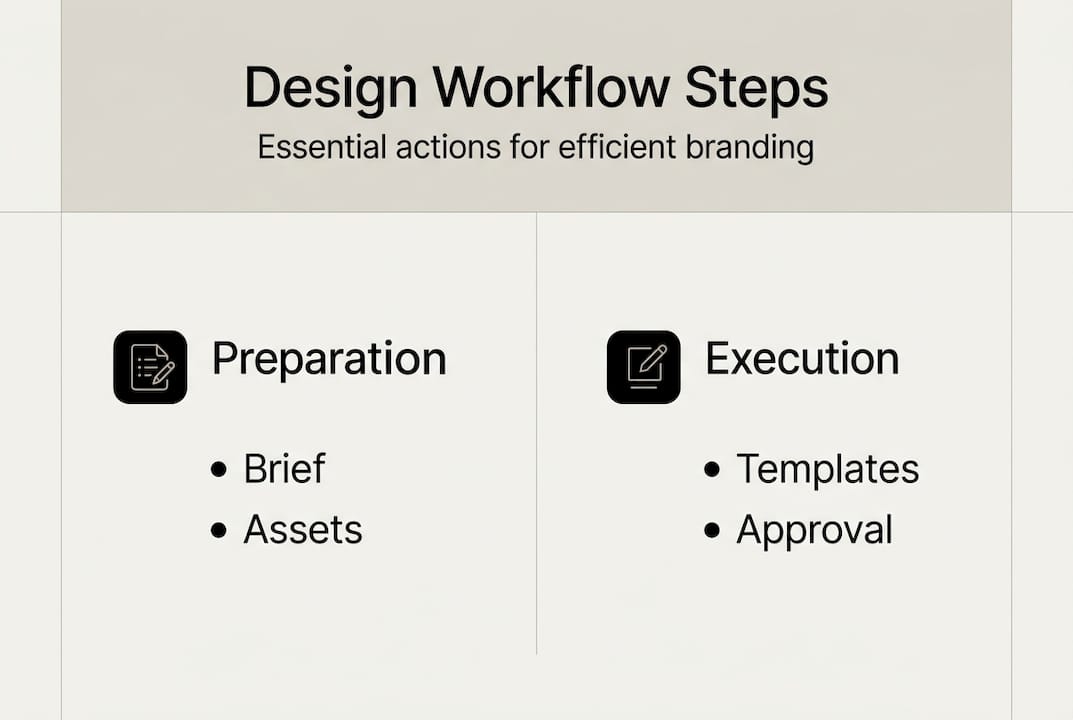
The key is building these systems once and maintaining them consistently. An outdated template library creates more problems than it solves. Schedule a quarterly review of your reusable assets to keep everything current.

Common pitfalls and advanced fixes
Even with the best workflow, challenges and mistakes can derail efficiency unless you address them proactively. Most workflow breakdowns fall into predictable categories.
The most common time sinks and how to fix them:
- Asset hunts. Designers waste hours searching for the right logo version or approved photo. Fix: centralize assets in one platform with strict naming conventions.
- File mislabeling. Files named "logo_final_FINAL_v3" cause confusion and errors. Fix: adopt version control with dates and sequential numbers.
- Output mismatches. Delivering a 72 DPI file for print or an RGB image for a CMYK print job creates costly reprints. Fix: create an output checklist for every project type.
- Licensing oversights. 68% of designers face font licensing issues that create legal and compliance risks. Fix: audit all fonts before delivery and use only licensed assets.
For technical output issues, Photoshop and Illustrator best practices from Adobe cover the most common DPI, color mode, and export settings that trip up even experienced designers.
Pro Tip: Never use the word "final" in a filename. Instead, use a version number and date, such as "v03_20260415." This makes it immediately clear which file is the most recent without any guesswork.
"Compliance issues in font licensing affect the majority of design teams. Catching them before delivery protects your business and your clients."
Small size testing is another overlooked step. A logo that looks sharp at full size may become unreadable at business card dimensions. Always test designs at their smallest intended use before signing off.
Our perspective: The game-changing truth most guides miss
Stepping back from the step-by-step, here is the strategic viewpoint our team has seen truly move the needle for SMBs. Most workflow problems are not tool problems. They are discovery problems.
When the project brief is vague or the stakeholder alignment is rushed, every phase downstream pays the price. Revisions multiply. Timelines slip. Costs climb. The fix is not a better design tool. It is a better conversation at the start.
Prioritizing reusable components, milestone approvals, and timeboxed feedback rounds consistently outperforms workflows built around endless customization. The teams that move fastest are not the ones with the most creative freedom. They are the ones with the clearest guardrails.
Make your brand assets audit-ready from day one. That means organized file structures, documented color codes, licensed fonts, and approved logo variations all stored in one accessible location. This investment pays dividends every time a new project starts, because the foundation is already solid. Connecting this to branding design processes that scale with your business is what separates reactive teams from proactive ones. Phase gates and milestone sign-offs are not bureaucracy. They are the fastest path to consistent output.
Ready to upgrade your graphic design workflow?
Now that you have actionable strategies, discover how a professional approach accelerates results. If your team is ready for less chaos and more brand impact, working with an expert studio makes a measurable difference.
At Inhale Design, we bring structured workflows, proven systems, and reusable template kits to every project. Our graphic design services are built to shorten delivery times and boost brand consistency for growing businesses. Whether you need a full branding package, promotional materials, or vehicle wrap design, our process is designed to eliminate guesswork and deliver results. Get in touch to explore how a professional workflow can transform your next project.
Frequently asked questions
What are the essential steps in a graphic design workflow?
The core steps are discovery, research, ideation, design development, feedback and revisions, finalization, and project reflection. Six to seven phases make up a standard professional workflow.
How can small businesses save time during graphic design projects?
Use design systems, AI tools, and clear discovery briefs. Clear intake and discovery cuts onboarding by up to 50%, and AI tools reduce repetitive tasks by 50%, saving significant time across every project.
What common mistakes should I avoid in a design workflow?
Avoid unclear briefs, unstructured feedback, using "final" in filenames, and skipping font license checks. 68% of design teams face compliance risks from font licensing alone.
Are there strategies to minimize revision cycles?
Yes. Set structured feedback deadlines, limit revision rounds to two or three, and use templates to standardize approvals. AI reduces revision cycles by 30% when integrated into the workflow.